
Tips for Creating a Productive Home Office Space
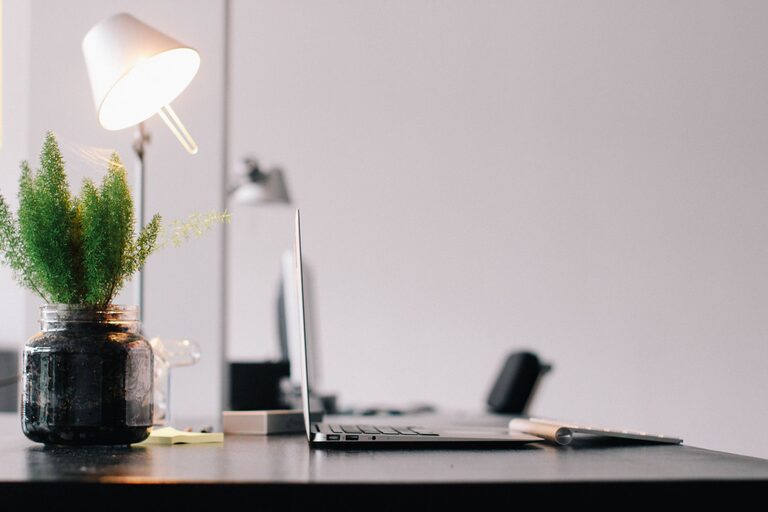
Creating a productive home office space is essential for anyone working remotely or managing tasks from home. A well-designed workspace can improve focus, reduce distractions, and help separate work life from personal time. Whether you have a dedicated room or just a corner of your home, there are simple changes you can make to build an environment that supports your productivity and wellbeing.
Choose the Right Location
Finding the best spot for your home office is the first step. Ideally, select an area that is quiet and away from high-traffic zones in your home. Having natural light is a huge plus, as sunlight can boost mood and energy levels. Avoid placing your desk with your back to the door; facing the entrance or a window can help you feel more alert and in control.
If space is limited, consider a fold-away desk or a compact workstation that fits a corner or unused nook. Your goal is to minimize distractions and create a dedicated zone you associate with work.
Invest in Comfortable and Functional Furniture
Comfort and ergonomics are key to maintaining productivity for hours at a time. Your chair should offer good lumbar support and adjustability, allowing you to sit upright without strain. Similarly, your desk height should enable your elbows to rest comfortably at a 90-degree angle while typing.
Consider a desk with enough surface area for your computer, notebooks, and essential accessories but avoid clutter. Standing desks or adjustable desks can offer flexibility and promote movement throughout the day, which is beneficial for both comfort and focus.
Optimize Lighting
Good lighting prevents eye strain and creates a welcoming atmosphere. Aim for a mix of natural and artificial light. Position your desk near a window to take advantage of daylight, but avoid glare on your screen.
Use task lighting such as a desk lamp with adjustable brightness to illuminate your workspace when natural light is insufficient, especially for late hours. Warm or neutral white bulbs typically help maintain concentration better than harsh fluorescent lighting.
Organize for Efficiency
Clutter can be a major productivity killer. Keep your home office tidy and organized by implementing storage solutions like shelves, filing cabinets, or desk organizers. Assign specific places for frequently used items so you can find them quickly.
Use cable management tools to keep wires under control and prevent a tangled mess. Digital organization tools such as task managers or calendar apps also help keep your workday structured and deadlines visible.
Minimize Distractions
Working from home presents many distractions, from household noises to family interruptions. Setting boundaries is important. Communicate your work hours clearly to others in your home and consider using noise-canceling headphones if necessary.
Turn off non-essential notifications on your devices during work times, and use apps or browser extensions that block distracting websites if you find yourself tempted to stray.
Personalize Without Overdoing It
While it’s important to have a professional vibe, adding personal touches to your office makes the space inviting and motivating. Think artwork, plants, or meaningful objects that boost your mood. Green plants can also improve air quality and add life to the room.
Avoid overloading your workspace with too many decorations, which can become distracting. The key is balance—create a space that feels yours yet remains focused on work.
Establish a Routine
A productive home office is more than just a physical space—it’s about creating habits. Start your workday by setting clear goals and a schedule. Take regular breaks to stretch or take a walk, which can help recharge your mind.
Try to “end” your workday by tidying your desk and shutting down your computer. This practice signals the transition from work time to personal time and helps maintain work-life balance.
Keep Technology Up to Date
Reliable technology is foundational for remote productivity. Ensure your computer, internet connection, and peripherals such as printers or external monitors are working smoothly. Invest in backup options, like extra chargers or an uninterruptible power supply, to avoid downtime.
Regularly update your software and security settings to keep your work safe and efficient.
—
Creating a productive home office doesn’t require a complete remodel or expensive purchases. Thoughtful planning, attention to comfort, and organization go a long way in making your workspace a place where you can thrive professionally. With these tips, you’ll be better equipped to design a home office that supports your productivity and wellbeing every day.
Related Post

How to Create a Cozy Reading Nook in Your Home
Transform a small corner of your home into a cozy reading nook with simple steps [...]
Tips for Creating a Cozy and Functional Home Office Space
Discover how to create a cozy, productive home office with easy design tips and practical [...]
Tips for Creating a Cozy and Productive Home Office Space
Discover simple ways to set up a home office that feels comfortable and boosts your [...]